
The question paper you already have as a PDF, or as a printout you can photograph, can be a live online JEE Main test and a printed paper with an OMR sheet in about ten minutes, without anyone typing a single question. You upload the file, we read the questions, options, figures and keys out of it, you check the result against the original pages, and you share it with your batch. That is the whole process, and it is the reason a small institute with a drawer full of papers can run a proper test series this week.
What you get from one upload
- An online test that runs on the NTA-style exam screen: candidate bar, timer, question palette, Save & Next, Mark for Review and the exam summary, so students meet the real interface long before January.
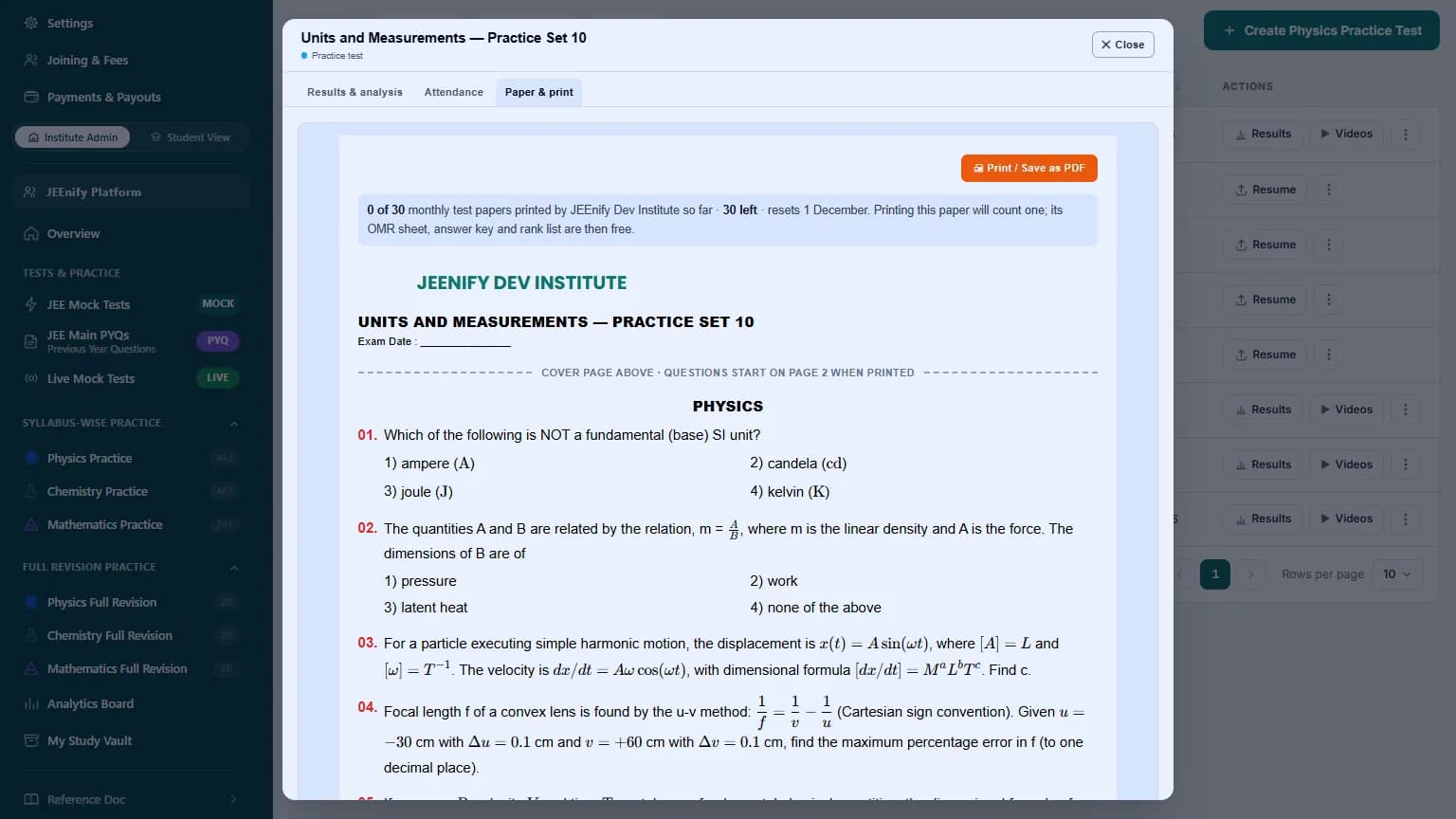
- A printed paper with your institute's name and logo, heading, maximum marks, marking scheme and instructions, plus its OMR sheet, answer key and rank list as separate printouts.
- Results as students submit: a rank list, attendance, and a question-by-question analysis for every student, so a teacher sees which question the batch got wrong, not only who scored what.
- The questions in your own bank, sorted by chapter and difficulty, ready to be reused in next year's revision paper without touching the PDF again.
- Figures as printed. Diagrams are cropped from the PDF page onto the question they belong to, in the paper's own colours, and show at their printed size online and on paper.
How little it asks of you
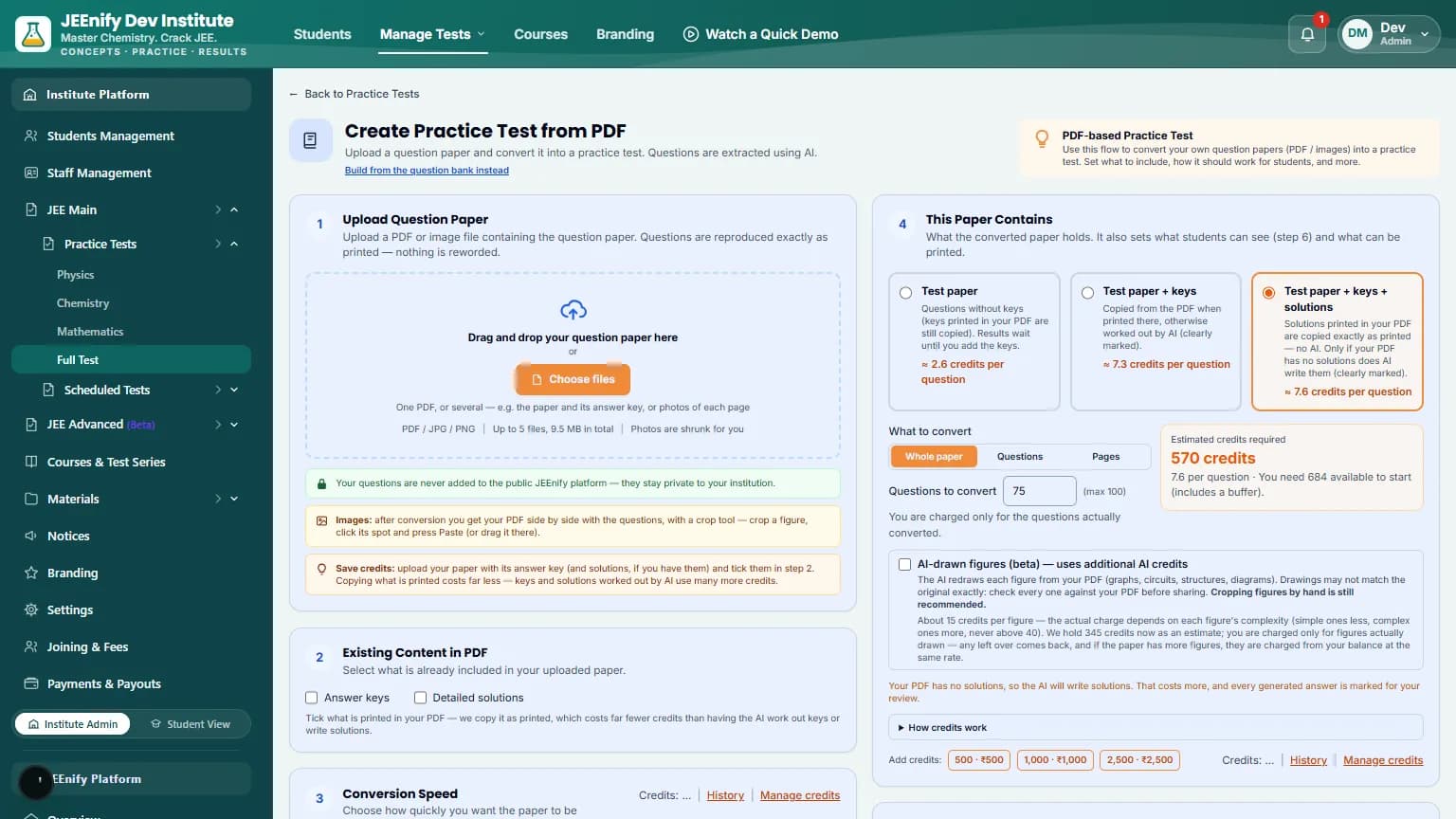
Three things, and only the second needs a teacher. First, upload the PDF or the page photos and say what the file contains: questions only, questions with keys, or questions with full solutions. Second, when the conversion comes back, read each question card against the original page, which sits beside it on the same screen, and fix anything that was read wrong in place. Third, press Share. If the PDF did not print its answer key, a photo of the key sheet is read the same way, and the test cannot be shared until every question has a key, so a half-keyed paper never reaches students by mistake.
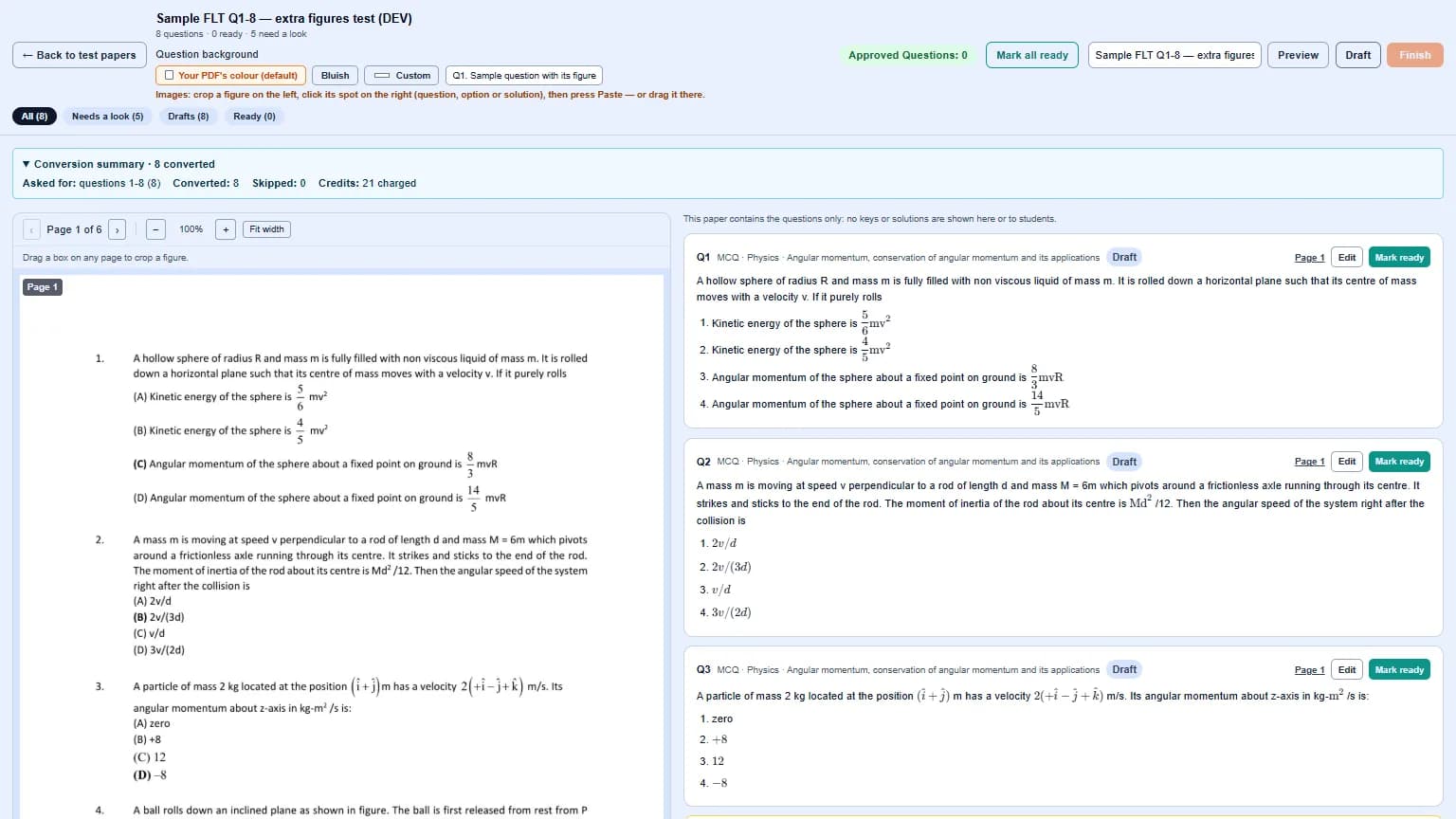
There is a speed for every situation. Instant has a typical paper ready for checking in a few minutes, for the test you need tonight. Economy finishes within 24 hours at fewer credits per question, for the stack of old papers you want in the system by next week. Standard is prepared by a person, for faint scans and figure-heavy papers. Handwritten papers are the one thing that converts badly; type those once and they join the bank like the rest.
JEE Advanced papers too
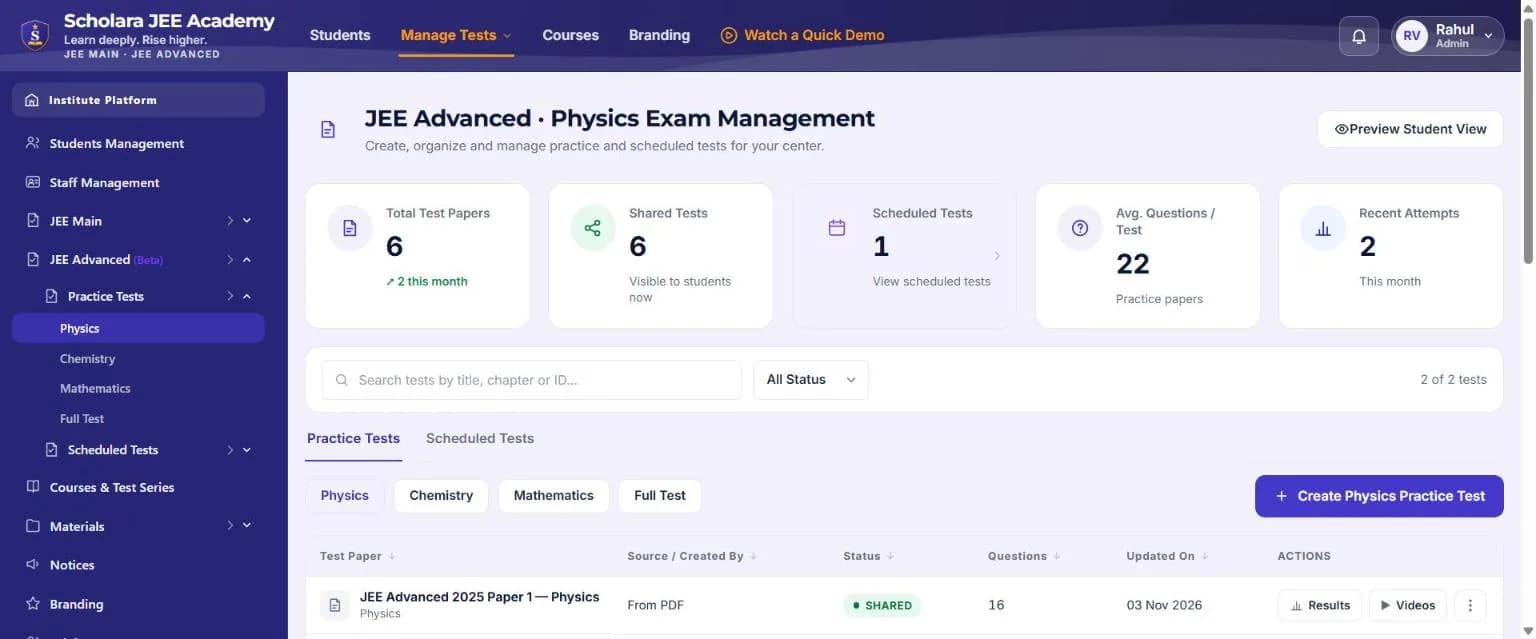
A JEE Advanced paper PDF goes through the same upload under the JEE Advanced tab. The difference is what gets read: the paper's marking scheme comes with the questions, so sections with partial marks, numerical answers and matching or matrix-match questions arrive with their own marks for correct and wrong. Students sit it on the Advanced CBT screen with a per-section summary, and results carry partial credit. A full Advanced sitting with its own marking by section is rare in institute software; here it is live, labelled Beta while institutes work through their own papers.
What it costs, in structure
Every institute plan is one flat yearly price, with the institute collecting its own fees and no commission on offline joinings. Conversion credits are bundled into every plan, a quote appears before any paper is converted, and the paper never costs more than the quote. Printing a paper uses a monthly allowance that every plan includes, and the OMR sheet, key and rank list for a printed paper do not count against it. The list prices sit on the plans and pricing page; there is no sales call needed to see them.
What it replaces
Retyping the paper in Word on a Sunday. A Google Form that cannot do negative marking, numerical answers, a palette or a rank list. A PDF on WhatsApp with answers on notebook paper and results days later. All three are still how most institutes run their own papers, and all three cost the one thing a small institute has least of, which is a teacher's evening.
See it on one of your own papers
The quickest way to judge this is to send us a paper you have already set. We will show it running as an online test and as a printed paper for your institute, on a call or over WhatsApp, and answer what the conversion got right and wrong on your paper rather than on ours. The question paper generator page describes the other ways a paper is made here, and the educators page has everything else an institute gets.